8 minute read · Ultimo Research Desk · Reviewed 25 Sept 2026
The AI Assistant in MetaTrader 5: What It Does, What to Let It Do
MetaTrader 5 now has an AI assistant built into the terminal and into MetaEditor. It arrived with build 6060, it is switched on by signing in with a free MQL5.community account, and it can read your charts, your open positions and your trading history through a standard called the Model Context Protocol. This guide is about what it actually does, what it can be allowed to do, and how to use it on an Ultimo account without handing it decisions it should not be making.
Two things first, because the marketing around this is already ahead of the facts. It is MetaQuotes' feature, not ours: it is the same assistant on every broker's MT5, and Ultimo neither sees your conversations with it nor adds anything to them. And it is not a trading system. It is a language model with a window onto your terminal, which is useful, and is also exactly why the permission settings matter.
What it is
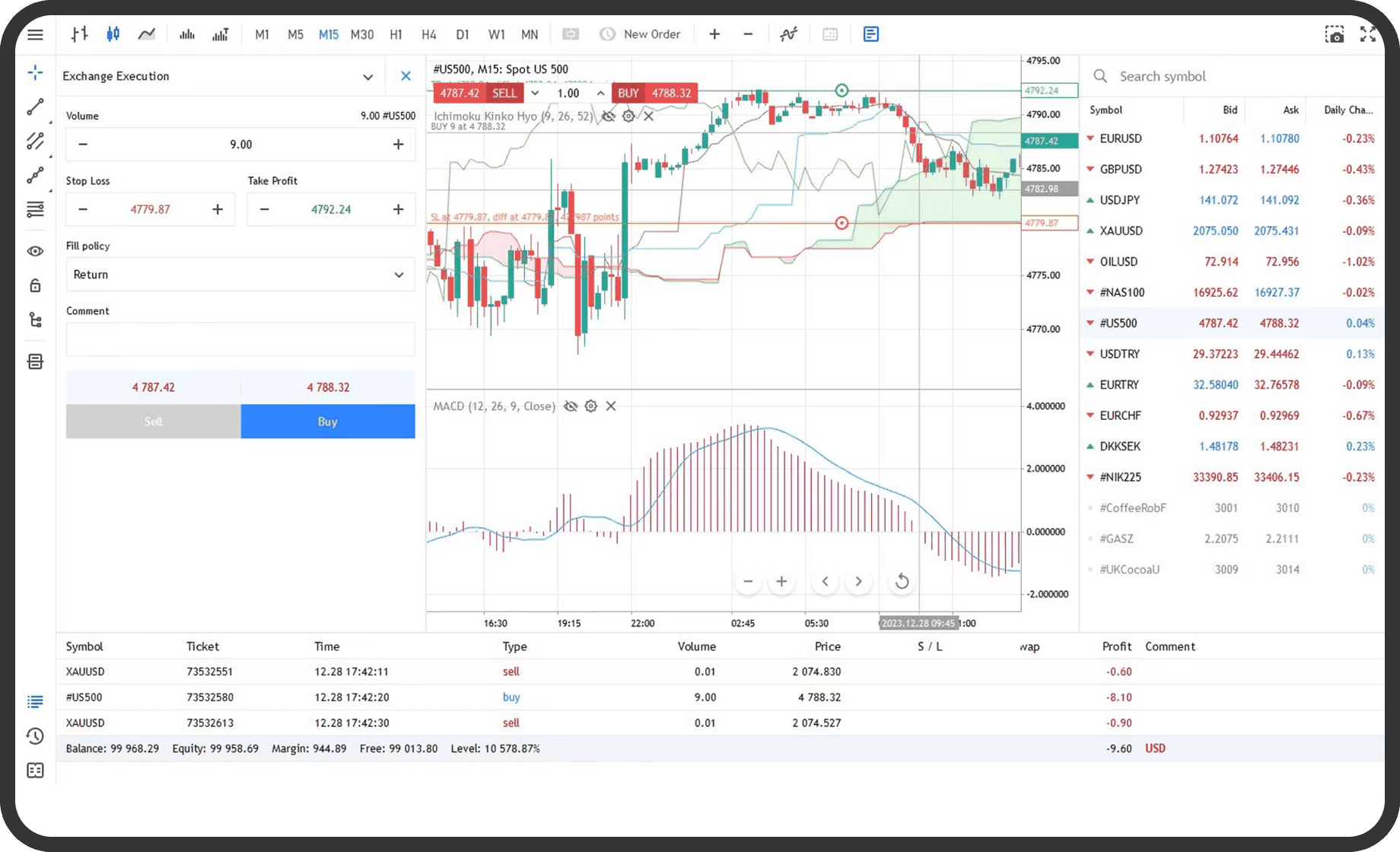
The assistant lives in a panel in the terminal and in MetaEditor. Because it is inside the platform rather than in a browser tab, it does not need you to copy anything to it: through MCP — an open standard for connecting language models to applications — it can read the chart you have open, the symbols in Market Watch and their specifications, your open positions, your account state and your history. You ask a question in plain language; it answers with that context in front of it.
In the terminal that means questions like "what is my total exposure to USD across these four positions", "explain the contract specification of this symbol", or "summarise what happened on this chart last week". In MetaEditor it means writing MQL5 code from a description, explaining code you did not write, finding the error the compiler is complaining about, and refactoring.
The default provider is MetaQuotes' own service, on what it calls the free MQL5 Lite plan, granted to every signed-in MQL5.community account. You can instead point the assistant at your own account with OpenAI, Anthropic, Google, DeepSeek or a local Ollama model by entering an API key in the terminal settings, and pick the model from there. MetaQuotes' own walkthrough is on its video site.
What it can be allowed to do — and the setting that matters
This is the part to read twice. The assistant can initiate trading operations if you let it. The terminal has a setting with three positions: AI-initiated trades prohibited, allowed, or allowed with manual confirmation. There are separate switches for whether it may make network requests and whether it may run command-line operations.
Our recommendation is plain. Leave trading prohibited, or at most require confirmation. Not because the model is malicious, but because of what it is: a system that produces a confident, well-formed answer whether or not the answer is right. "Close the losing positions" is an instruction a person gives with a particular set of positions in mind; a model executes the words. A confirmation step means you see the order ticket before it exists, which is the same discipline as the one-click trading warning, for the same reason.
An order the assistant places on your account is an order like any other on ours. It is filled at our price, it carries the same margin, and it is subject to the same stop-out rules. There is no "the AI did it" on a trade server.
What it is good for
Reading your own account back to you. The exposure question above is the best example. Six positions in EUR/USD, GBP/USD, USD/JPY and gold add up to a net dollar exposure that most people do not compute in their head; the assistant can, from the positions as they are, and can say what happens to your margin if every stop is hit. That is arithmetic on data it can see, which is the kind of question it answers well.
Explaining a chart or a specification. "Why is the swap on this symbol positive on the long side" or "what does this contract size mean for a 0.10 lot" are questions with checkable answers, and the assistant has the specification in front of it. Check the answer against the contract specifications once; after that, it is a faster way to read a table.
Code. This is where it earns its place. Writing a first Expert Advisor from a plain description of the rules, getting an error explained, converting an indicator idea into MQL5 — the assistant does in minutes what used to be an afternoon or a freelancer. The code still has to be tested in the strategy tester before it touches money, and read by you before it is trusted; a model produces code that compiles more reliably than code that does what you meant.
What it is not good for
Predicting. Ask it where EUR/USD is going and it will tell you, fluently, with reasons. That answer is worth exactly what any other confident paragraph about the future is worth. MetaQuotes says so in its own notes — the responses are for information and are not investment advice — and it is the one line in the documentation to take literally.
Judging a backtest it did not run. Feed it a report and it will find patterns in the losses. Some will be real; some will be a plausible story about noise, which is what a language model produces when asked to explain randomness. Treat its reading of a backtest the way you would treat a colleague's: a list of things to check, not a list of things to change.
Replacing a risk rule. The assistant can tell you your exposure. It cannot make you cut it. The position size you decided on before the trade is still the number that matters, and the drawdown limit you wrote down is still the one that ends the day.
Setting it up on an Ultimo account
- Update the terminal to build 6060 or later (Help → About shows the build).
- Sign in to your MQL5.community account in the terminal — Tools → Options → Community. If you do not have one, it is free to create on mql5.com.
- Open the AI panel in the terminal, or press F4 for MetaEditor and open it there.
- Before you ask it anything, open the AI settings and set trading operations to prohibited or confirm. Decide the network and command-line switches the same way; off is the sensible default until you have a reason.
- Start with a question about your own account — exposure, margin, a specification — where you can check the answer.
The assistant works on any MT5 login, including an Ultimo demo, which is the right place to learn what it is and is not good at before it is anywhere near a live balance.
Common questions
Does Ultimo see what I ask the assistant? No. The conversation is between your terminal and the AI provider — MetaQuotes' service or the one you chose. We see the orders that reach our server, the same as with any other way of placing them.
Is it free? The default MQL5 Lite plan is, according to MetaQuotes. Your own API key with another provider is billed by that provider on their terms.
Can it trade for me while I sleep? It can be allowed to place orders, and a trader who lets it is choosing to. We would not, for the reasons above. An Expert Advisor that you wrote — with its help, if you like — tested and understood, is the tool for unattended trading; a chat assistant is not.
Will it work on the web terminal or on a phone? The release notes describe the desktop terminal and MetaEditor. Check the current MetaQuotes notes for the other platforms; this guide is not going to claim something we have not seen.
Trading leveraged products puts your capital at risk. An assistant that reads your account well does not change what happens to the account when the market moves against a position, and nothing it says is a forecast.
Written by the Ultimo Research Desk and checked against our own contract specifications and client agreement before publication; reviewed again when those change. Educational only — nothing here is a recommendation to trade. Spotted an error? Tell us.